

Client Background
Client: A leading insurance tech firm in the USA
Industry Type: Insurance
Products & Services: Policy & Insurance
Organization Size: 100+
About the Client:
The client is a digital compliance and policy analysis organization that manages large volumes of structured questionnaires and regulatory documents. Their platform is designed to help users compare multiple policy documents, assess compliance gaps, and evaluate risk severity efficiently. They required a scalable, high-performance system that supports dynamic user interactions, precise document search, and real-time content comparison to enhance decision-making accuracy and streamline policy review workflows.
AI Policy Web App
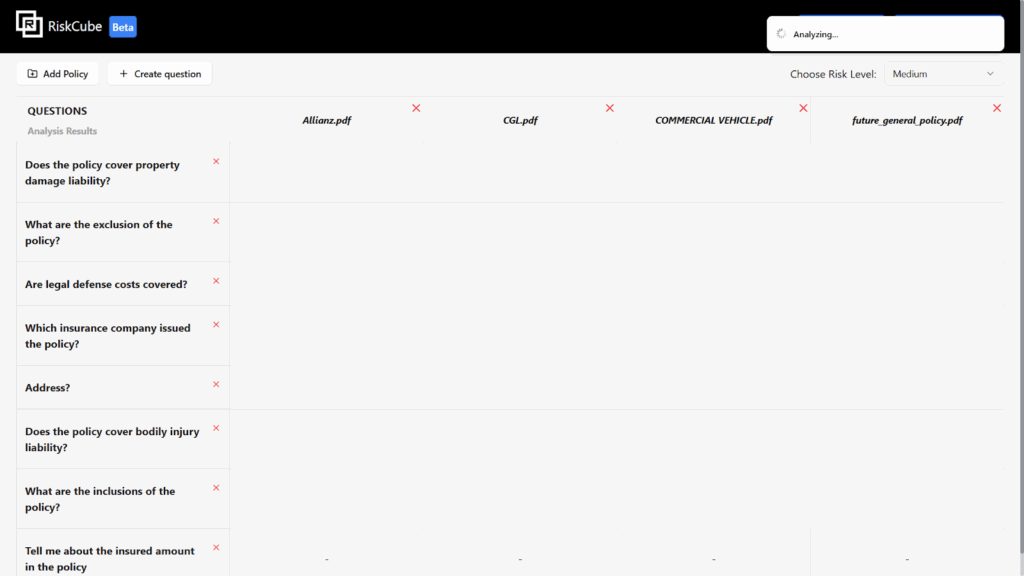
The AI Policy web app helps users compare commercial policies using a mix of predefined and custom questions. Users can upload their own policy documents, which are analyzed for risk levels, and receive a severity score for each. The platform is designed to be interactive, searchable, and highly customizable.
The Problem
- State Management and UI Lag
The main challenge was efficiently managing dynamic data structures. Questions and answers were structured as arrays of objects, but we needed to render this data in a flexible table format. Users had to be able to delete individual rows or columns. Ensuring smooth UI updates while handling these changes in real time was critical to avoid performance issues. - PDF Search Functionality
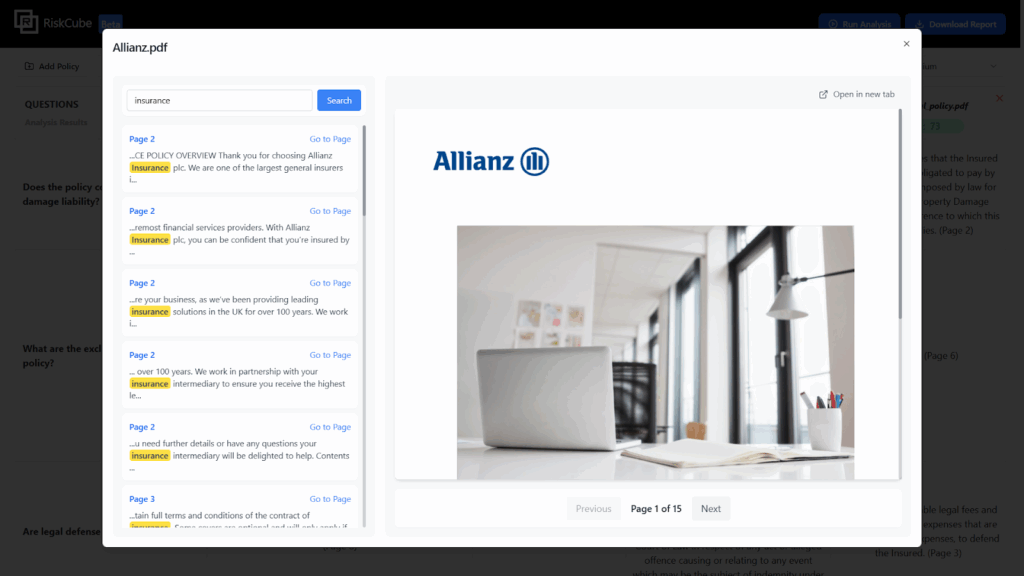
PDF documents were stored in Supabase buckets. We needed to enable a search feature that could identify specific content within the PDFs and return results along with the exact page numbers—without relying on third-party PDF viewers.
Our Solution
- Optimized State Management
Instead of maintaining separate states for rows and columns, we implemented a single unified state object. This allowed for direct updates to the data structure, which significantly improved performance and reduced UI lag during user interactions like row/column deletions. - Custom PDF Search Implementation
We extracted and parsed the entire content of each PDF, mapping the text content along with their corresponding page numbers. Using regex-based searches, we were able to return precise results with the matching text and the pages where they occurred—making the search accurate and fast - User-Created Content Support
- Users can now:
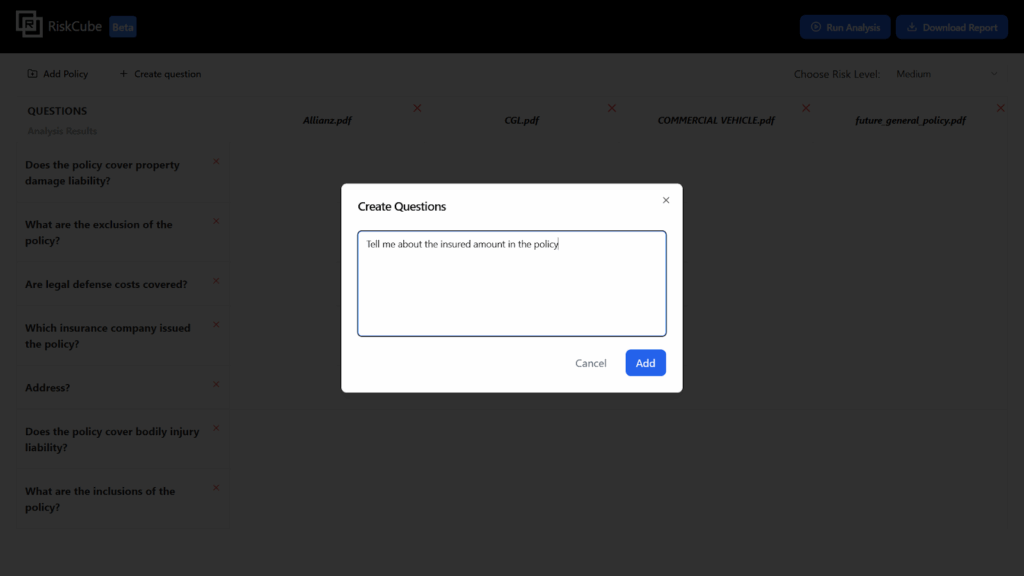
- Add custom questions alongside default ones
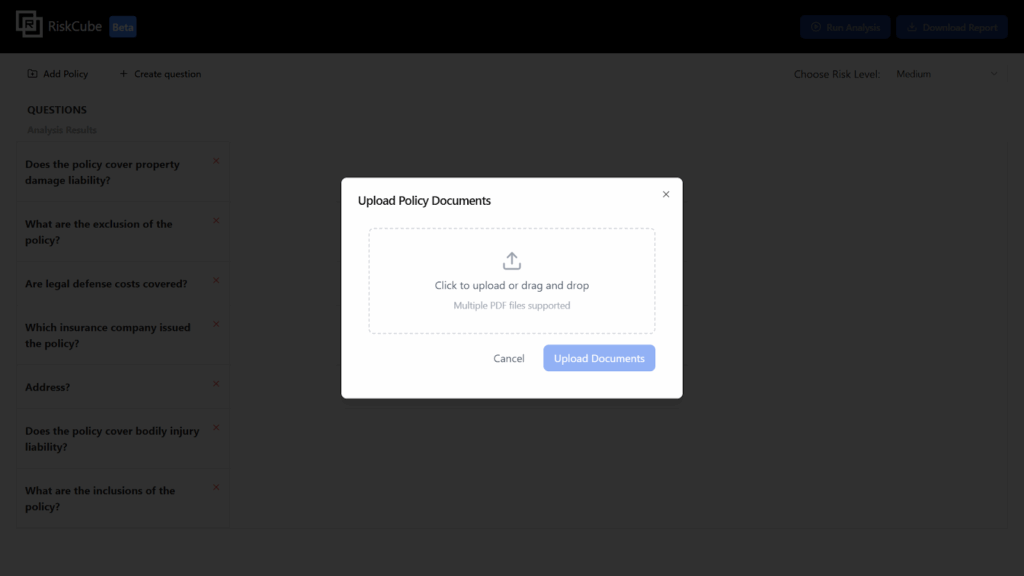
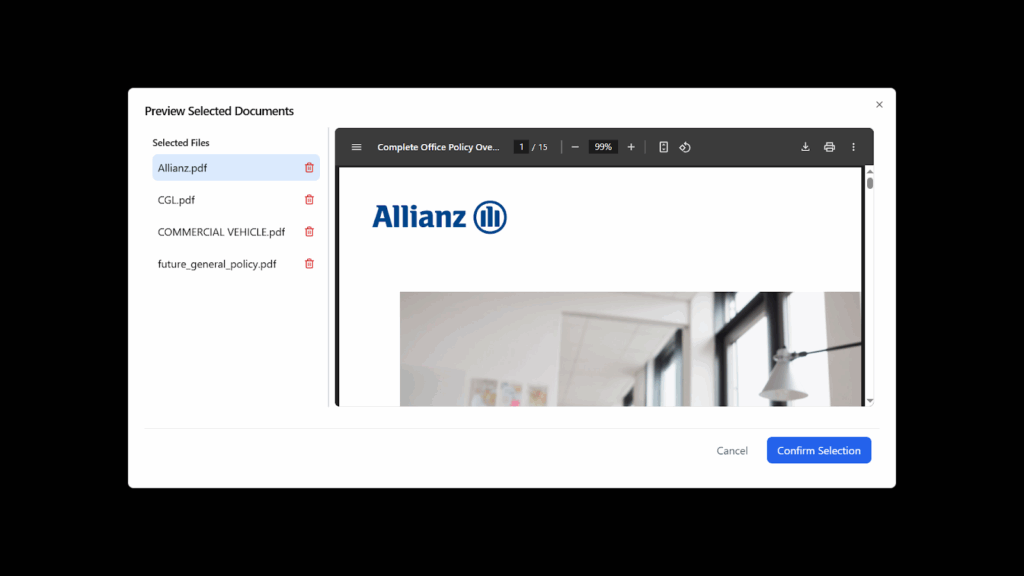
- Upload their own policy documents for comparison
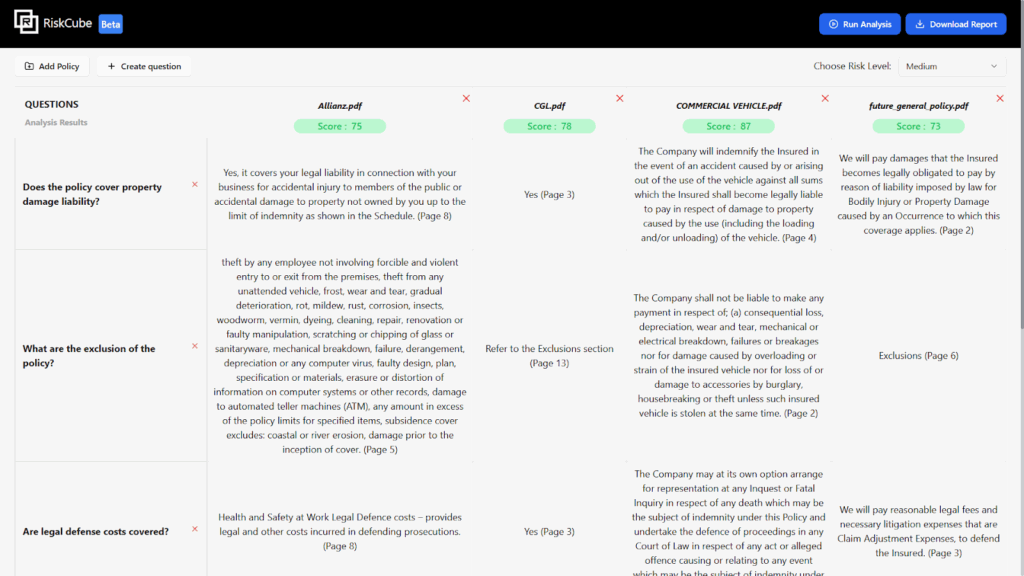
- View how each policy responds to each question
- See severity scores calculated per document
Solution Architecture
- Frontend
- Built with Nextjs
- Centralized state management (using useReducer)
- Dynamic table rendering with editable and removable rows/columns
- Debounced rendering to handle large state changes smoothly
- Backend / Storage
- Supabase for storing and serving PDFs
- PDF parsing with PDF.js
- Custom logic to associate content with page numbers
- Search Layer
- Full-text scraping of PDFs
- Regex-based search engine
- Search results enriched with context and page numbers
Tech Stack
- Tools used
- Nextjs
- Fast API
- GCP(Google Cloud Platform)
- Language/techniques used
- Python (Fast APi)
- JavaScript (Nextjs)
- Models used
- LLM( GPT-4o-mini) (for smart conversational interface and suggestions)
- Skills used
- Full-stack development
- Cloud deployment (GCP)
- Data structure and algorithm optimization
- Databases used
- Supabase(for relationships and embeddings)
- Web Cloud Servers used
- Google Cloud Compute Engine
- Firebase Hosting and Firestore DB
- GCP IAM for role-based access control
What are the technical Challenges Faced during Project Execution
- Efficient State Management for Dynamic Tables
Handling complex nested data structures (object arrays) in a table where users could freely add or remove questions and policy documents. The UI needed to remain responsive even with frequent updates. - UI Lag from Frequent State Updates
With dynamic operations like adding/removing rows and columns, state changes were causing noticeable lags, especially when rendering large datasets. - Integrating PDF Search with Page Indexing
Extracting accurate, page-specific text content from PDFs hosted on Supabase and enabling full-text search that returns meaningful results (matched content + page number) in real time. - Maintaining Data Consistency While Allowing Edits
Allowing users to modify the table (questions/policies) without breaking the underlying data model or causing desyncs in the UI. - Scalability for Multiple Users and Large Files
Ensuring that the app could handle multiple users uploading large PDF files and still deliver fast search and rendering performance.
How the Technical Challenges were Solved
Single Unified State Model
Introduced a single, centralized state to manage all table data. This reduced complexity and ensured all UI changes were tracked through one consistent source, which helped eliminate sync issues and simplified updates.
- Optimized Rendering and Batched Updates
Used useReducer and batched updates to prevent re-render storms. Also implemented conditional rendering and debounce logic to delay unnecessary UI refreshes. - Custom PDF Parsing Layer
Leveraged PDF.js to parse PDF content page by page. Stored the page-wise text in a structured format that allowed regex-based searching and fast lookups. - Modular Table Design
Created reusable components for table rows and cells that respond efficiently to changes. This modular design helped isolate and fix bugs faster and scale the UI for more complex use cases. - Indexed Search Output with Context
Instead of just showing matching text, the search engine was built to return matches along with the page number and surrounding content for better readability and traceability.
Business Impact
- Faster Decision-Making
Users can compare multiple policies side by side and instantly see how each responds to both default and custom questions—reducing manual review time. - Risk Awareness through Severity Scoring
The severity score helps users understand the risk level of a policy at a glance, supporting smarter compliance and legal decisions. - Customizability for Diverse Use Cases
By allowing users to define their own questions and upload unique policies, the tool adapts to various industry needs without extra configuration. - Improved Productivity
The search feature drastically cuts down the time spent sifting through long PDF documents, making the workflow more efficient for analysts and legal teams. - Scalable Architecture for Growth
With the tech stack optimized for performance and modularity, the product is ready to scale—adding new features or serving more users without major rework.
Project Snapshots
1.Home Page
2.Add policy
3. Preview the added documents
4.Add custom questions
5.Analysing..
6.After analysing
7.Preview PDF and search
Project website url
Project Video
Contact Details
This solution was designed and developed by Blackcoffer Team
Here are my contact details:
Firm Name: Blackcoffer Pvt. Ltd.
Firm Website: www.blackcoffer.com
Firm Address: 4/2, E-Extension, Shaym Vihar Phase 1, New Delhi 110043
Email: ajay@blackcoffer.com
WhatsApp: +91 9717367468
Telegram: @asbidyarthy