
Client Background
Client: A leading tech firm in the USA
Industry Type: IT
Products & Services: ERP Software Solutions and Back Office Services
Organization Size: 100+
The Problem
- The client had a large, complex ERP database.
- Business owners and leaders couldn’t directly explore or talk to their data.
- Insights were locked behind:
- Static reports
- Complex SQL queries
- Technical teams acting as intermediaries
The client wanted to make their ERP data truly accessible to business users, in a way that felt:
- Interactive – ask questions in plain English
- Self-service – no need to know SQL or table structures
- Visual – be able to see tables/charts, not just raw numbers
A need to connect the business owners with their data was required where a chatbot that sits on top of their ERP database and lets business owners ask, explore, and visualize their data in a simple, natural way would be more flexible and easier.
Our Solution
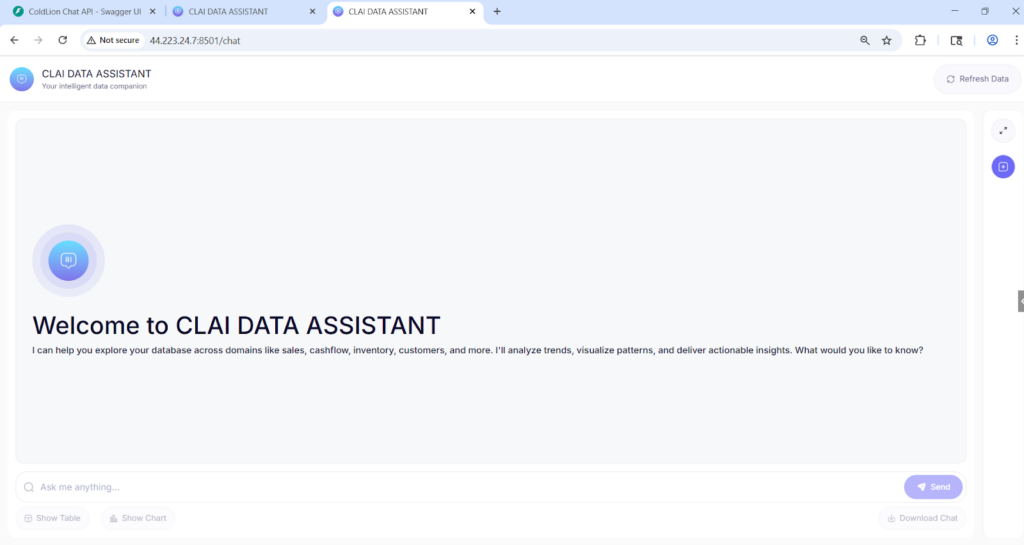
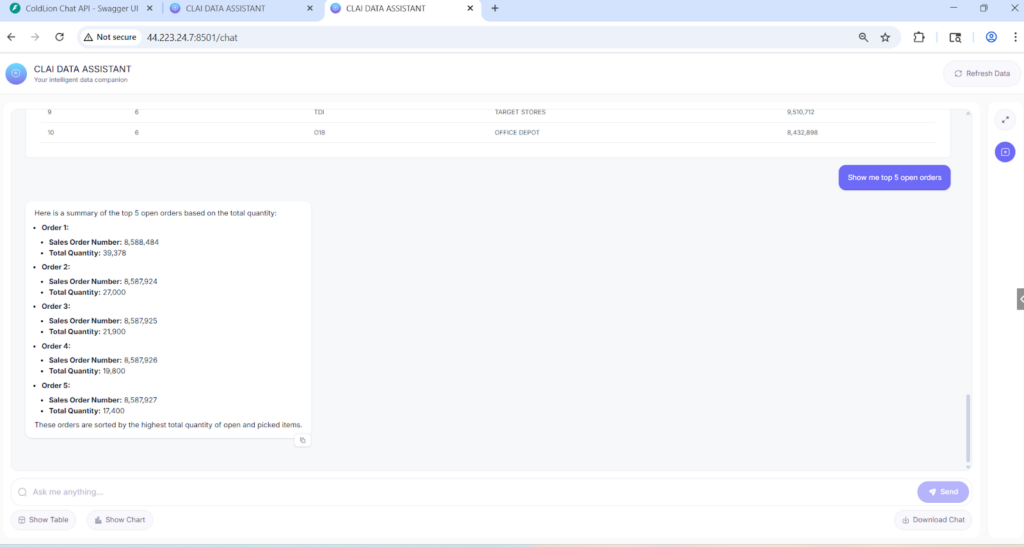
We built CLAI Data Assistant, a production-ready ERP SQL chatbot that sits between business users and the database.
Key capabilities:
- Natural language to SQL
- Users type questions in normal English.
- The assistant converts them into validated SQL queries and runs them on the ERP MSSQL database.
- Smart intent detection & routing
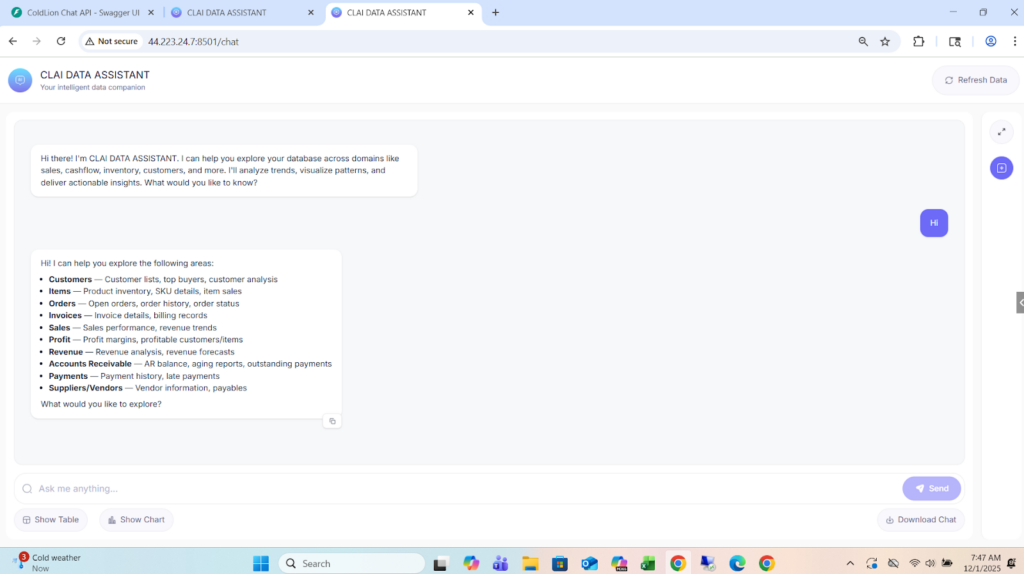
- Distinguishes greetings, casual chat, vague questions, business questions, and forecasting questions.
- Routes each message to the right engine – SQL query engine or forecasting engine.
- Business-ready answers, not just raw tables
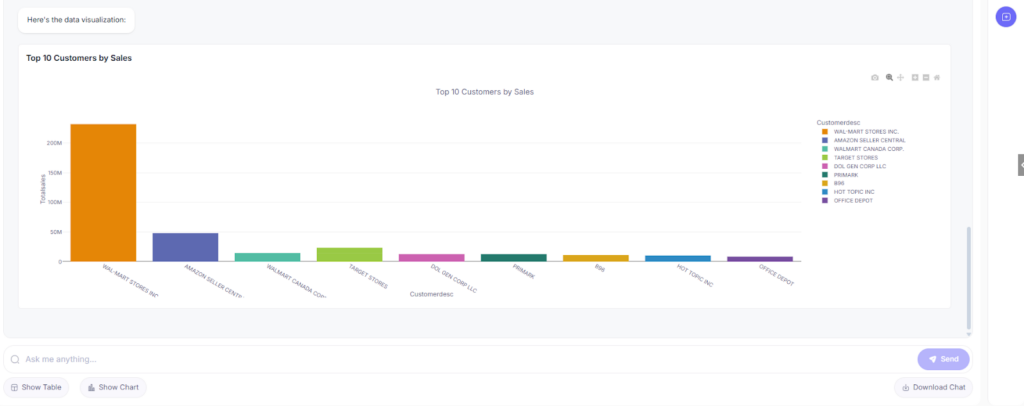
- Raw query results are summarized into concise business insights (top customers, trends, balances, etc.).
- Large result sets are handled safely and summarized instead of dumping thousands of rows.
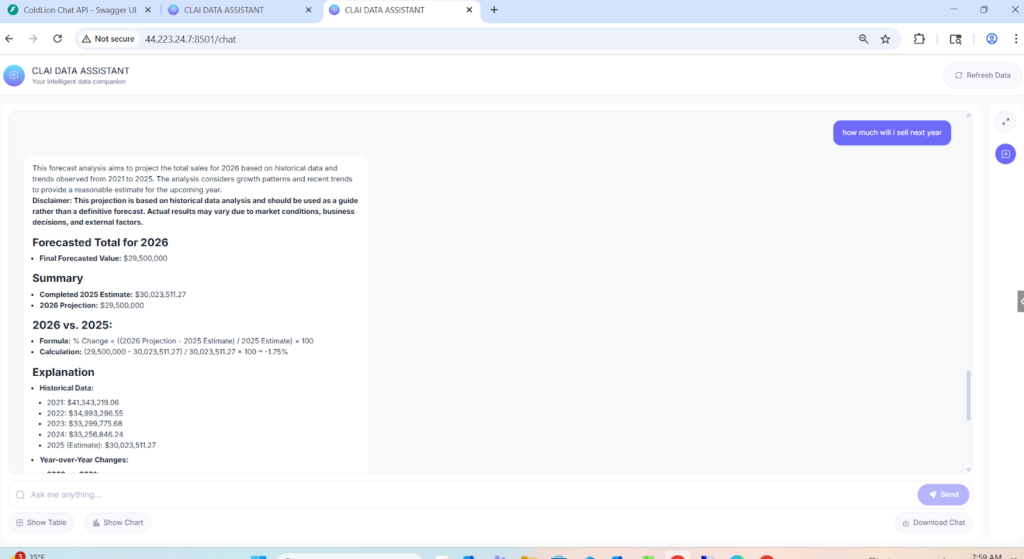
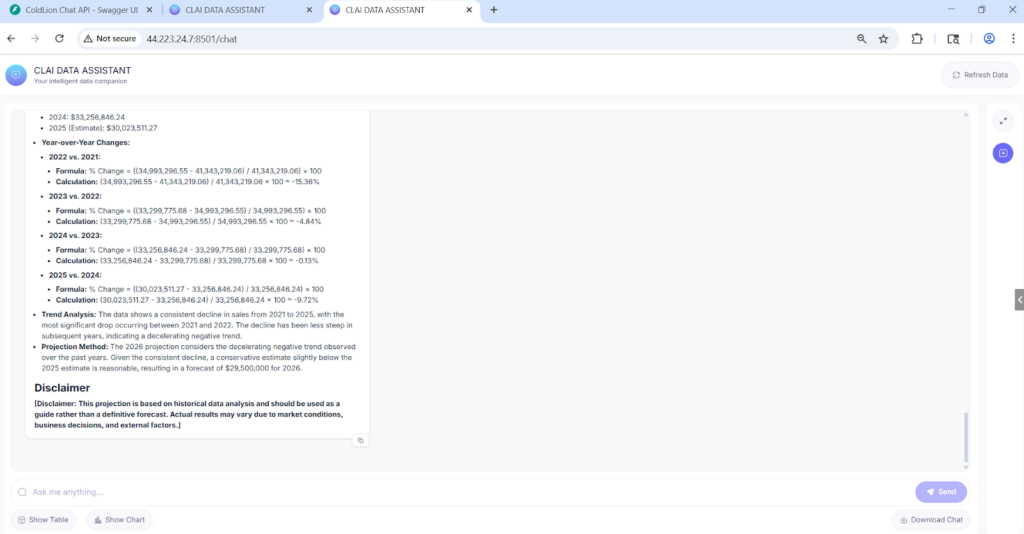
- Forecasting engine for “next year” questions
- For questions like “What will my revenue be next year?” the system pulls multi-year history, structures it, and passes it to a prediction engine to produce sensible future estimates.
- For questions like “What will my revenue be next year?” the system pulls multi-year history, structures it, and passes it to a prediction engine to produce sensible future estimates.
- Streamed, chat-style UX
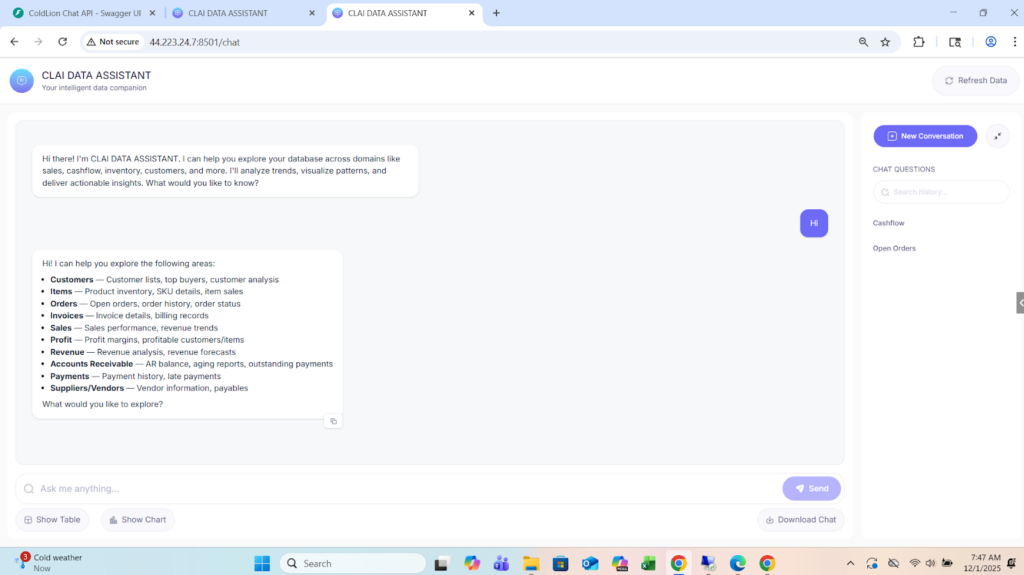
- Answers appear in a modern chat interface with streaming responses, making the assistant feel responsive and interactive.
- The end result is a single chat interface where business owners can explore their ERP data in real-time without touching SQL or navigating complex menus.
Solution Architecture
At a high level, the architecture has four layers:
- Frontend – Chat Interface (Next.js)
- Modern React/Next.js web app with Tailwind styling.
- Chat-style interface with message history, loading states, and space for future visualizations (tables/charts).
- Communicates with the backend via REST APIs.
- Backend – FastAPI + LLM Orchestration
- FastAPI service that exposes /chat and related endpoints.
- Integrates with OpenAI (GPT-4o) for:
- Intent classification (greeting vs business vs forecast)
- SQL generation
- Business summaries and explanations
- Implements thread-based memory so each conversation keeps context across turns.
- SQL & Forecast Engines
- LangChain SQL Agent layer
- Uses a cached schema map of MSSQL tables and columns.
- Smart keyword → table mapping to only expose relevant tables to the LLM (Customer, Invoice, AR, Orders, Inventory, Amazon shipment tables, etc.).
- Strict SQL validation to allow only safe SELECT queries before execution.
- Prediction Engine
- Triggered only for clear future-looking questions (forecast, predict, next year, 2026+ etc.).
- Generates structured historical SQL, then uses GPT for forecasting and explanation.
- LangChain SQL Agent layer
- Data Layer – MSSQL ERP Database
- Read-only connection to the existing ERP database (SQL Server).
- Covers multiple business domains: Sales, Invoices, Orders, Customers, AR, AP, Inventory, Amazon shipments, etc.
- No schema changes required; the assistant learns the existing schema via a schema cache.
Deliverables
- Fully working ERP SQL Chatbot
- Deployed on the AWS server and accessible via browser.
- Self-service for non-technical business users.
- Front-end Web Application (Next.js)
- Chat UI with conversation history and streaming responses.
- Ready hooks for visualizations (tables/charts) based on backend data.
- Backend API Service (FastAPI)
- All endpoints required for chat, SQL execution, forecasting, and saved queries.
- Secure connection setup with the MSSQL ERP database.
- All endpoints required for chat, SQL execution, forecasting, and saved queries.
- Intelligent Query & Forecast Engine
- Natural language → SQL pipeline with retry, validation and error handling.
- Forecast module for next-year / future questions.
- Saved Queries Module
- Ability to save frequently used questions and reuse them later.
Tech Stack
Tools used
- FastAPI (backend API framework)
- LangChain (SQL agent orchestration)
- OpenAI Assistants API (tool calling & routing)
- Uvicorn (ASGI server)
Language/techniques used
- Python (backend, orchestration logic)
- JavaScript / React / Next.js (frontend)
- Tailwind CSS (UI styling)
- REST APIs & JSON
Models used
- OpenAI GPT-4o (core reasoning, SQL generation, summaries)
- OpenAI GPT-4o-mini (fast intent classification & keyword matching to improve latency)
Skills used
- Solution & data architecture for ERP systems
- Secure database integration (read-only MSSQL access)
- LLM prompt design and tool-calling workflows
- SQL optimization and validation
- Error handling, retries, and latency optimization
- Frontend UX for chat-based analytics tools
Databases used
- Microsoft SQL Server (ERP transactional database – Sales, AR, AP, Orders, Items, Inventory, Amazon tables)
Web Cloud Servers used
- AWS Windows Server
- Application accessed via RDP and browser using internal IP / future subdomain
What are the technical Challenges Faced during Project Execution?
- Converting free-form English into safe SQL
- Users phrase questions in many different ways, including typos and partial context.
- Needed to ensure the LLM does not generate unsafe or heavy queries.
- Choosing the right tables automatically
- The ERP database has many tables, including logs and system tables.
- Mapping user intent (“open AR”, “top customers”, “Amazon shipments”) to the correct subset of tables was non-trivial.
- Distinguishing between historical vs forecast questions
- Handling vague or conversational queries gracefully
- Users sometimes type “show me something” or ask general knowledge questions.
- The system needed to respond helpfully.
- Latency & user experience
- Calling LLMs, generating SQL, executing it on MSSQL, and then summarizing – all within a reasonable response time..
How the Technical Challenges were Solved
- Strict intent classification & routing layer
- Implemented a dedicated intent classifier (greeting / conversational / vague / business / forecast).
- Only business/forecast messages reach the SQL or prediction engine, reducing mistakes and load.
- Implemented a dedicated intent classifier (greeting / conversational / vague / business / forecast).
- AI-assisted keyword → table mapping + schema cache
- Built a schema cache that scans all tables and filters out logs/system tables.
- Combined an AI keyword matcher with a curated mapping (e.g., “AR”, “aging”, “open AR” → ARDocument, ARBatchDetail, Customer).
- This ensured the LLM only sees relevant tables for each question.
- Dedicated prediction tool for future questions
- Registered a separate run_prediction_tool in the Assistant, with clear routing rules for future-looking questions (forecast, predict, next year, 2026+).
- This cleanly separated “read existing data” vs “forecast future data”.
- Safe SQL validation and retry logic
- Every generated SQL query is passed through a validation layer that blocks non-SELECT statements.
- If a query fails due to missing columns/tables, the system can rebuild schema cache and retry.
- Handling vague & conversational inputs
- For vague business queries (“show me data”), the assistant replies with a clarification prompt offering options (Customers, Sales, AR, etc.).
- For general knowledge questions, it answers briefly and reminds the user that its main role is to assist with their business data.
- Latency optimization
- Used GPT-4o-mini for lightweight tasks like intent classification and keyword matching.
- Cached schema and minimized context to reduce token size.
- Implemented streaming responses so users see answers as they are generated.
Business Impact
The assistant delivers clear value:
- Easier Access to the users data which helps in Faster decision-making.
- Reduced dependency on SQL skills
- Lower risk of unsafe database access
- All queries are read-only and automatically validated.
- No direct SQL access is given to end users.
- Scalable foundation for future features
- The architecture is flexible enough to add:
- Rich visual dashboards
- More forecasting models
- Multi-tenant support
- Additional databases or modules
- The architecture is flexible enough to add:
Project Snapshots: